Enter historical data manually
You can enter historical data into Axiom Financial Planning manually, directly into plan files. Simply enter each of the values requested in the left-hand columns for each of the past budget years on the right. Values for future projections populate automatically after you have entered all of the necessary historical data.
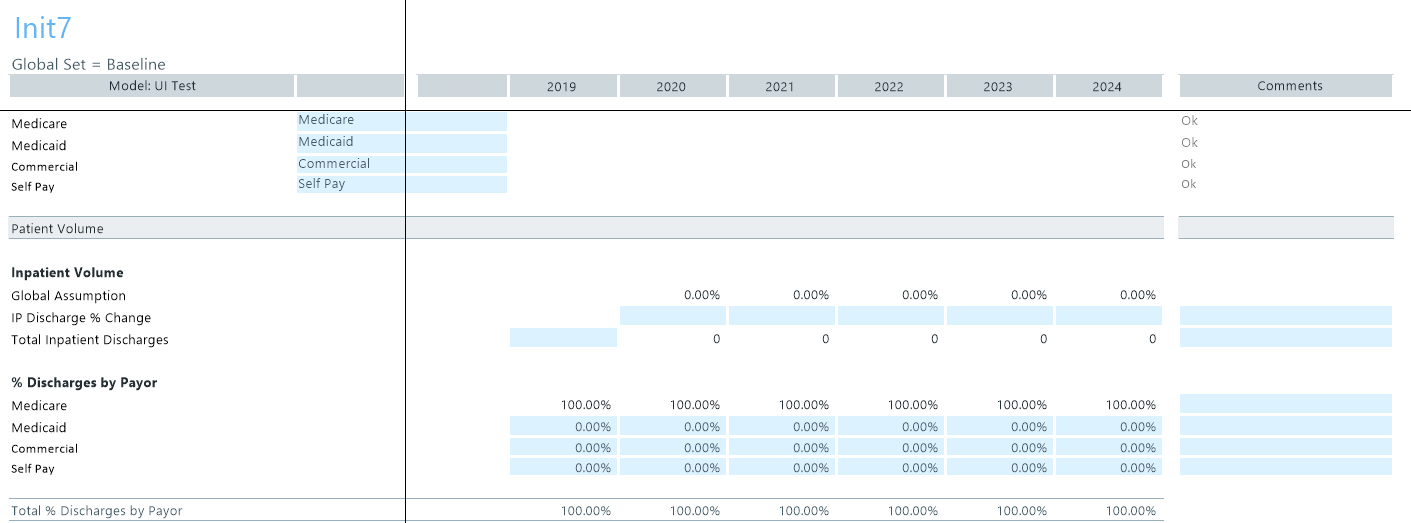
The major categories include:
- Volume
- Revenue
- Reimbursement
- Expense
- Balance Sheet
To facilitate data entry, cells in plan files are color coded as follows:
| Color | Description |
|---|---|
| White | Protected cells. The values are hard-coded, pre-populated from the database, or calculated from other fields, and cannot be changed. |
| Blue | Editable cells. Blue shaded cells might be empty or pre-populated with a value or formula that the user is allowed to change. |
| Green | Contain drop-down menus, allowing you to select from one of several predefined options. |
